When you start the game, the login screen will appear after executing the gameguard.
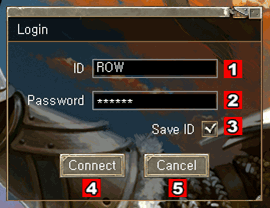
 ID
ID - Enter your account ID.
 Password
 - Enter your password.
 Save ID
 - Check this to avoid entering your account ID every time you login.
* please uncheck if you share the PC with other people.
 Connect
 - Enter the game.
 Cancel
 - Cancel and exit the game.
If you successfully logged in, you will be taken to the character
selection screen. If there isn't any character, then you first need to
choose your characters' nationality.
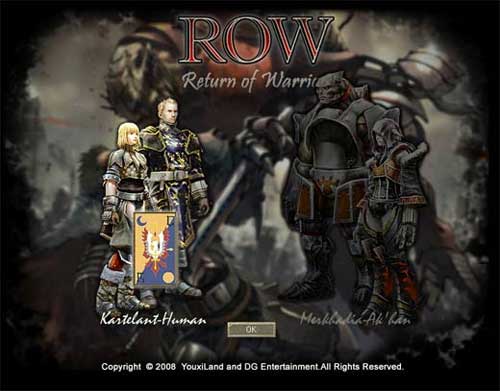
You can choose a Human from Karteland or an Ak'Kan from Merkhadia. All
the characters you create must be of the same nationality. You cannot
re-choose your nationality unless you delete all character you have on
the server and restart the game.








 Getting Ready




 Kartelant (Human)
 Merkhadia (Ak'Kan)