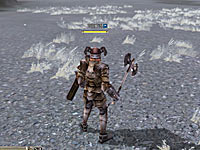
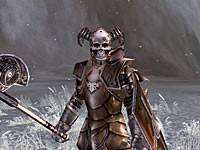
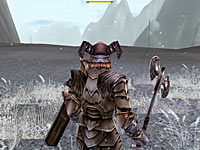
- Zoom in and out by using the mouse wheel and control your point of view with your mouse.
- In
mouse mode, you can control your point of view by holding down [Space]
and moving the mouse from left to right or forward to backward.
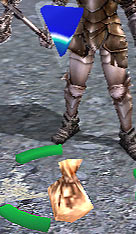 |
To pick up items, press [E] or left-click on the items.
If an item belongs to another player, you will have to wait a certain period of time to pick up the item. |
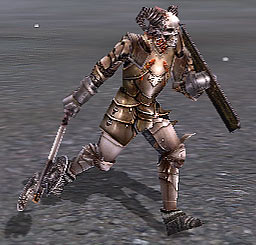 |
Move
- You move by pressing [W], [S], [A], [D].
- You can jump by pressing [Space].
- You can avoid by pressing [A] + [Space] or [D]+[Space].
|
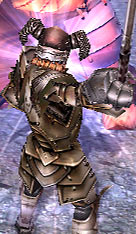 |
Attack
- Hold down the left button for continuous attack.
- Access
a skill by pressing its corresponding number, and click the right mouse
button to activate skills or hold it down to charge up casting skills
and release to activate.
|
|
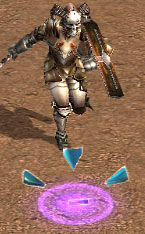
Move
You move by left-clicking a target or on the ground to move toward it. |
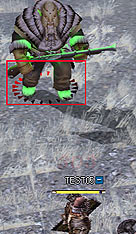 |
Attack
Target
an enemy with the mouse cursor and left-click, then you will run to him
and strike him with melee weapon until he falls down. |
 |
|
- You have two modes, Keyboard mode and Mouse mode.
- You can switch between the two modes by pressing [ESC].
- You cannot jump in Mouse mode.
- Press [W], [S], [A], [D] to switch to Keyboard mode.
- You can access a mouse cursor by pressing [Tab] or by holding [Shift].
|
|
 |
|
|
|
| E | Pick up items | Tab | Toggles the mouse cursor on/off |
| Y | Party Window | Shift | Activate the mouse cursor |
| U | Character Window | Number key | Access quickslots |
| K | Skill Window | F11 | Options/Menu |
| I | Inventory Window | F12 | Picture mode |
| C | Rest | Ctrl | Use skills for self |
| M | Large Map | Enter | Chat mode |
| T | Quest Window | X/Z | Quickslots |
| G | Guild Window | v | Display the names of players/NPCs/Monsters |
| Q | Switches the equipment set(Only humans) | Esc | Switch between the two control modes |
|
|
|
|

|
|
 |
Gold Box EXP/Drop +50% |
 |
Holy Orb of Exp Exp +30% / 1 hour |
 |
Stone of Rebirth Redistribute Stat Points |
|
|
|
|
| 







 Getting Ready